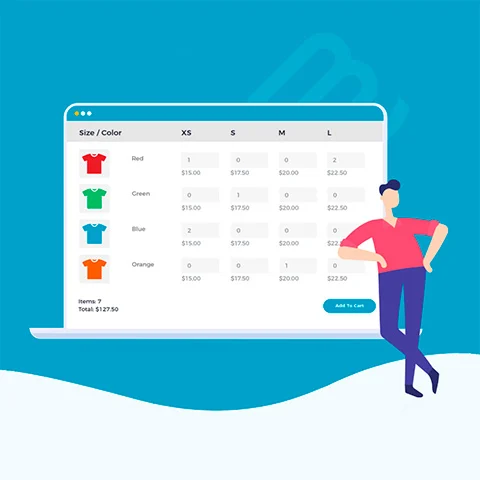
WooCommerce Bulk Variations
WooCommerce Bulk Variations. Barn2 Plugin to show product variations on a grid or price matrix within WooCommerce. Help compare options and decide on purchase with a clearer presentation.
WordPress plugin · v2.5.22.50 €
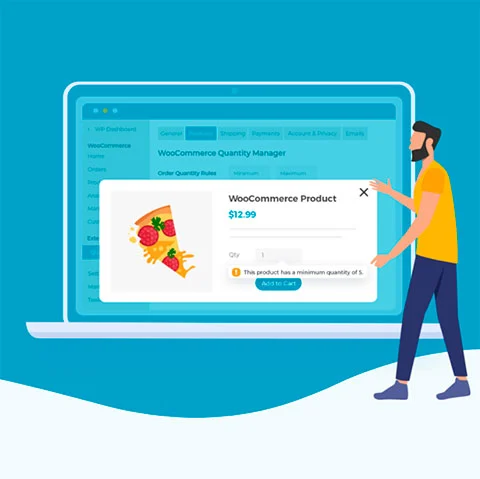
WooCommerce Quantity Manager helps define minimum quantity, maximum, increments and default values rules for WooCommerce products. It is a useful option for stores selling in packs, multiples or with unit control per item.
Downloads and available versions for 365 days after purchase.
Review the requirements, included scope and purchase terms (Spanish).
WooCommerce Quantity Manager helps define minimum quantity, maximum, increments and default values rules for WooCommerce products. It is a useful option for stores selling in packs, multiples or with unit control per item.
WooCommerce Quantity Manager is catalogued as a WordPress plugin. It is intended for people comparing plugins for a real project and who want to confirm what is available before purchasing. The product name, current release and category are taken directly from the CLUBWP catalogue, so this page stays aligned with the downloadable item.
The most useful way to evaluate it is to start with the job your site needs to perform. Compare its scope with your existing WordPress setup, page builder or design workflow, and avoid installing overlapping tools that solve the same task. No external developer demo is currently linked, so use the details on this page and the included documentation to assess the product.
The version currently shown for WooCommerce Quantity Manager is 2.4.3. The download is supplied as a ZIP package. Version numbers can change as the catalogue is updated, so check the version panel on this page again before installing or replacing files on an existing site.
| Product | WooCommerce Quantity Manager |
|---|---|
| Type | WordPress plugin |
| Category | Barn2 |
| Current release | 2.4.3 |
| Package | ZIP download |
Confirm compatibility with your current WordPress, WooCommerce, PHP, Elementor or other required platform version before changing a live site. Create a backup and test the package in a staging environment whenever it can affect layouts, checkout, user accounts, scheduled tasks or stored content.
Read the developer documentation included with the package. If the product extends another plugin or theme, make sure that dependency is installed and licensed separately when required. A listed version confirms the available package; it does not guarantee compatibility with every hosting stack or combination of third-party extensions.
The individual price currently displayed for WooCommerce Quantity Manager is 2.50 €. An individual purchase provides 365 days of downloads and available versions after purchase. CLUBWP membership may also provide catalogue access while the membership remains active; compare the two options according to how many products you expect to use.
Before paying, review the purchase terms, the product version and the technical requirements. After a completed purchase, the available download appears in your CLUBWP account. Keep the original ZIP and note the version used on each project so future maintenance is easier.
This page shows 2.4.3. Check the version panel immediately before purchase because the catalogue can receive newer files.
Suitability depends on the product requirements and your website stack. Test it on staging first and verify any required parent product, page builder or platform.
You receive the ZIP package associated with the version displayed on this page, subject to the access and purchase terms shown at checkout.
WooCommerce Quantity Manager · 2,50 €
Review the developer documentation and confirm compatibility with your WordPress, WooCommerce, PHP, Elementor or other required platform version. Back up your site and test the package on staging before changing production.
WooCommerce Bulk Variations. Barn2 Plugin to show product variations on a grid or price matrix within WooCommerce. Help compare options and decide on purchase with a clearer presentation.
WordPress plugin · v2.5.2
WooCommerce Discount Manager helps create advanced pricing rules and discounts within WooCommerce. It is a useful option for stores that need to organize promotions with more control and review the price of the plugin before deciding to purchase it.
WordPress plugin · v1.5.2
WooCommerce Lead Time allows you to define global delivery times or by product in a WooCommerce store. It is a useful option to show estimated times clearly in the catalog and on each tab.
WordPress plugin · v2.2.2
WooCommerce Private Store hides a WooCommerce store from public access and protects it with password or login. It is a useful option to control who sees the catalog, product chips and purchase process.
WordPress plugin · v1.8.4
WooCommerce Product Table organizes WooCommerce's catalog in a searchable, orderable and filterable table. It is useful to speed up navigation and bring the customer from the product query to the purchase in one view.
WordPress plugin · v4.3.10
WooCommerce Protected Categories protects product categories in WooCommerce with password, user role or user account. It is a useful option to separate public catalogues and reserved areas within the store.
WordPress plugin · v2.8.2